A recipe and baking app: from step by step to the pantry
A countertop, a bowl, the phone propped against the bowl, and an oven that won’t wait. That is where your community remakes your recipes. An app in your name can play that role: steps one at a time, timers, scaled quantities, shopping lists ready to go. Here is what our demo, Capucine’s Kitchen, contains, and how it gets built around the way you cook.

Inès FadmiProduct Designer UI/UX, upd. , 6 min
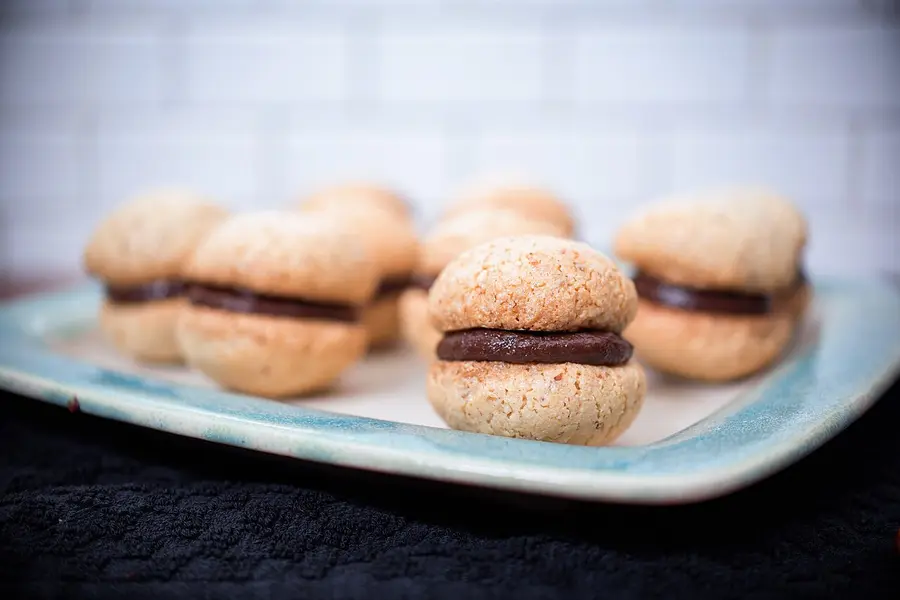

Fingers in the butter
A recipe on Instagram gets watched, saved, then hunted down one evening while scrolling through a hundred posts. When it’s time to cook, you need something else: quantities in order, the right step at the right moment, a timer for the dough that has to rest.
Take choux pastry. The dough has to dry for exactly two minutes, fingers full of butter. Nobody wants to touch the screen right then. You need text readable from an arm’s length, one step at a time, and the clock running.
Around the recipe sit other questions: what’s missing from the cupboard, the week to plan, another pan size, an ingredient to swap. Your community sends them to you as messages. An app can answer in your place.
The home screen and the recipe card
Look at the demo’s home screen: a search bar, categories (baking, savory, quick, easy), a featured recipe, a word from the creator, new additions and recently viewed recipes. Favorites get their own tab.
Each card shows the time and the level. The number of servings is set with a plus and a minus, and the ingredient quantities follow. You tick what you already have, and the rest can go to the shopping list. The card also holds the creator’s tip, the equipment needed, how to store the result, and a space for personal notes saved on the phone.
The card also remembers the user: the last time she made the recipe, the rating she gave it, the number of recipes she has pulled off on her profile. A recipe can be planned on a day of the week.
Cooking mode
The current step fills the whole screen. A bar shows where you are, and the previous and next buttons move you along. When a step asks you to wait, dough in the fridge or something in the oven, a timer starts.
One setting turns on large text, for reading from a distance. Another keeps the screen awake during cooking mode: no need to wake the phone with floury fingers.
At the end of a recipe, the app asks how it went and offers a rating out of five. That rating is for the user herself, to find what she liked making again.
From the shopping list to the whole week
On a recipe card, one button sends everything that isn’t ticked to the shopping list. The list sorts items by aisle: dairy and eggs, fruit, deli, pantry. You can copy it, remove the ticked items or clear it.
The Week tab places recipes day after day. One button then builds the shopping list for the whole week at once, without reopening each recipe.
That’s the button I would put front and center on this screen. It turns a week of recipes into a single list.
A recipe
Cooking mode
Five tools in the drawer
The backward planner answers “we eat at 8 p.m., so what now?”. You pick the recipes on the menu and each task gets its start time. The tool separates what needs your hands from what bakes or rests on its own.
The pan swap recalculates quantities by surface area (round, square, rectangle) and warns you when baking will be shorter or longer. The conversions give equivalents between grams and cups, and between Celsius, gas mark and Fahrenheit.
Substitutions suggest replacements for an egg-free, lactose-free or gluten-free diet, and say frankly when there is none: choux pastry won’t rise without egg. The app reminds you to always check the labels.
Last tool, the pantry. You note what you already have, and the week’s shopping list keeps only what’s missing.
Your recipes said the way you say them
The structure is shared, the content is yours: your recipes, your quantities, your steps written as you would say them out loud, your tips, your equipment, your way of storing things.
You also pick the tone, the categories, what gets featured, the word of the week. Your answers to the questions that keep coming back (the pan, the egg to replace) become tools in the app, instead of staying in a conversation.
Before any commitment, we show you a mockup in your name, in your colors, with your words.

What you bring and what we take on
You: your world and your recipes, your voice, feedback now and then so the app matches what your community expects, and, on the nothing-upfront formula, 1 post and 4 stories each month.
Us: the mockup, the development, the hosting, the maintenance, the updates and support for your subscribers, plus payment, invoicing and refunds. You advance €0. The net is what’s collected minus VAT, payment fees, infrastructure, store commissions and refunds, and we are paid on that. If you would rather pay for the build, the on-a-quote formula starts at €15,000, and we then take no share of the sales.
On the nothing-upfront formula, you also keep a way out: buying out our share, at any time, at a price known from the start. In the shared dashboard, you see every subscription and every purchase, month after month. The format, web app or store, is chosen with you. Your brand and your content belong to you.
A Sunday in the app
A typical Sunday: a subscriber opens the app, plans three recipes, generates her shopping list, then starts cooking mode when evening comes. She no longer has to dig through your posts or ask you whether butter can be replaced.
On the creator’s side, each new recipe reaches subscribers as a notification, and the dashboard is checked once a month. We handle subscriber support.
We promise no result. The simulator on the site gives an order of magnitude and nothing more. What the app changes is how things are organized, for you and for your subscribers.
Shopping
The week
Ten well-made recipes beat fifty rushed ones
Copying all your recipes in one go is the classic trap. Each recipe needs checked quantities, split-up steps, a tip, equipment and storage.
Second trap: steps that run too long. In cooking mode, a step fits on one screen readable from afar, with one action, one time, one instruction. Three gestures in one step? Cut it into three.
Finally, don’t claim what you don’t know about diets. Egg-free, lactose-free, gluten-free: the result changes, and the app has to say so. Keep the sentence that invites people to check the labels.
Five recipes to start
Pick the five your community asks you for most. For each, write the ingredients with their quantities, the steps with their waiting times, a tip and how to store it.
Then we talk for 30 minutes: you tell us what you do and what people keep asking you, and we show you a mockup in your name before you commit. The first version is tested with a small group from your community, then comes the launch. The backward planner, the pan swap and the pantry will come once you know which ones get used most.
Before that, open the Capucine’s Kitchen demo and touch every screen, from cooking mode to the shopping list. Then write to us about what your community asks you.